Back to the knowledge base
Admax Hosting AB · web hosting in Sweden since 1996Published 16 September 2026
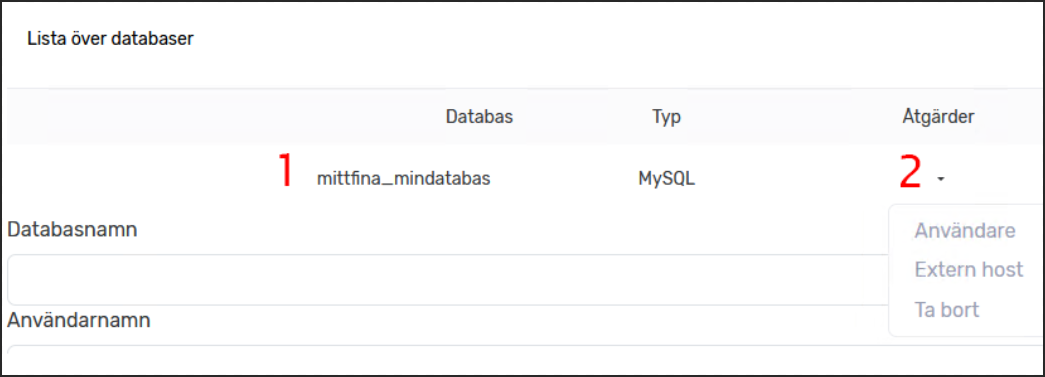
- Click "Databases" in the menu
- Enter a "Database name"
- Enter a "Username"
- Enter a "Password" twice
- Create the new database by clicking "Add new database"
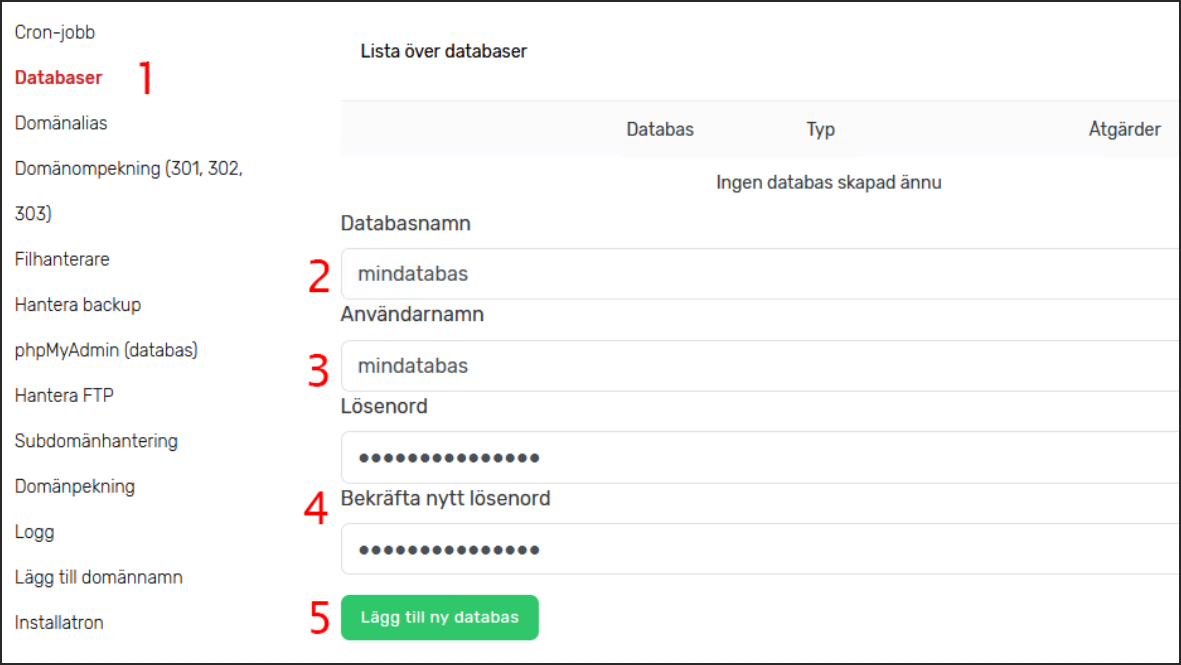
Once you have a database, it appears in the list (1) and you can perform a few basic actions (2), such as managing users with access to the database, adding an external host, and deleting the database.