Back to the knowledge base
Admax Hosting AB · web hosting in Sweden since 1996Published 31 March 2026
To install a plugin, follow this guide.
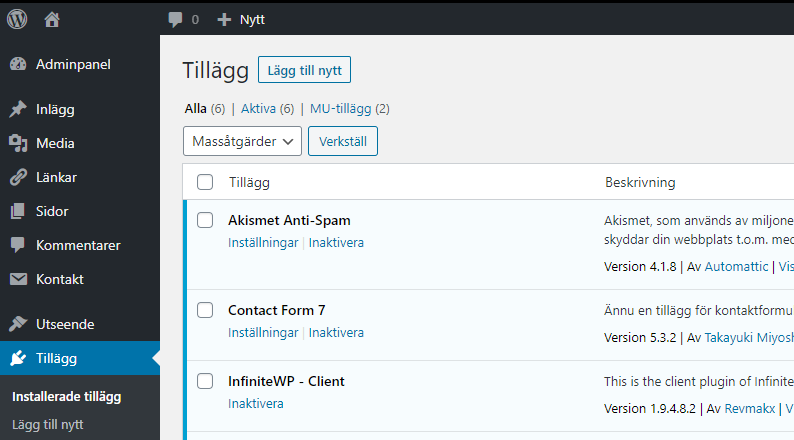
- Log in to your WordPress site and under Plugins, click "Add new".
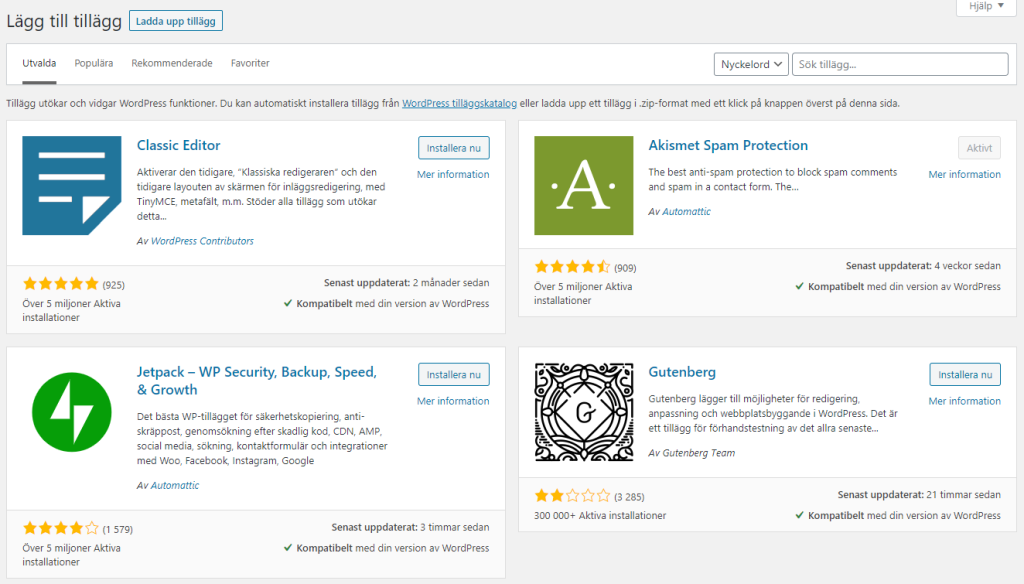
- Search in the top right for your plugin and when you find the one you want to install, click the "Install now" button next to it.
- It will now process and show the following status:
 and
and 
- When it says "Activate", click the "Activate" button and your chosen plugin is now installed. To get started, follow the documentation for the plugin you installed. There may be a menu item for your plugin, or you can find it in the list of installed plugins.