Back to the knowledge base
Admax Hosting AB · web hosting in Sweden since 1996Published 16 September 2026
Microsoft has a guide on how to remove an account in Outlook:
https://support.microsoft.com/sv-se/office/ta-bort-eller-radera-ett-e-postkonto-fr%C3%A5n-outlook-1fa900ae-6dc8-468c-b754-10292f7ee47a
If that doesn't work, try the following:
Open "Control Panel" and find "Mail" (Microsoft Outlook)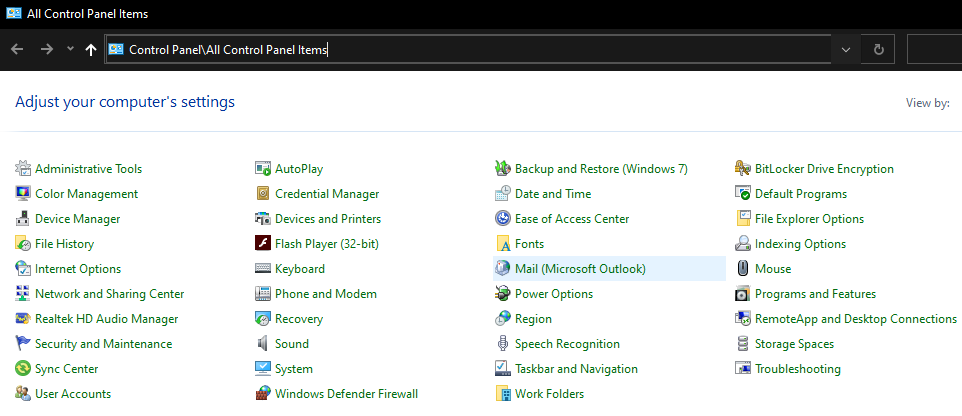
Click "Add..."
Add the new account, which will become the "default"
Once done, select "Always use this profile" and choose the new profile
Delete the others!
Done!
Please note that we are unable to provide support for Outlook — for assistance, contact Microsoft directly.