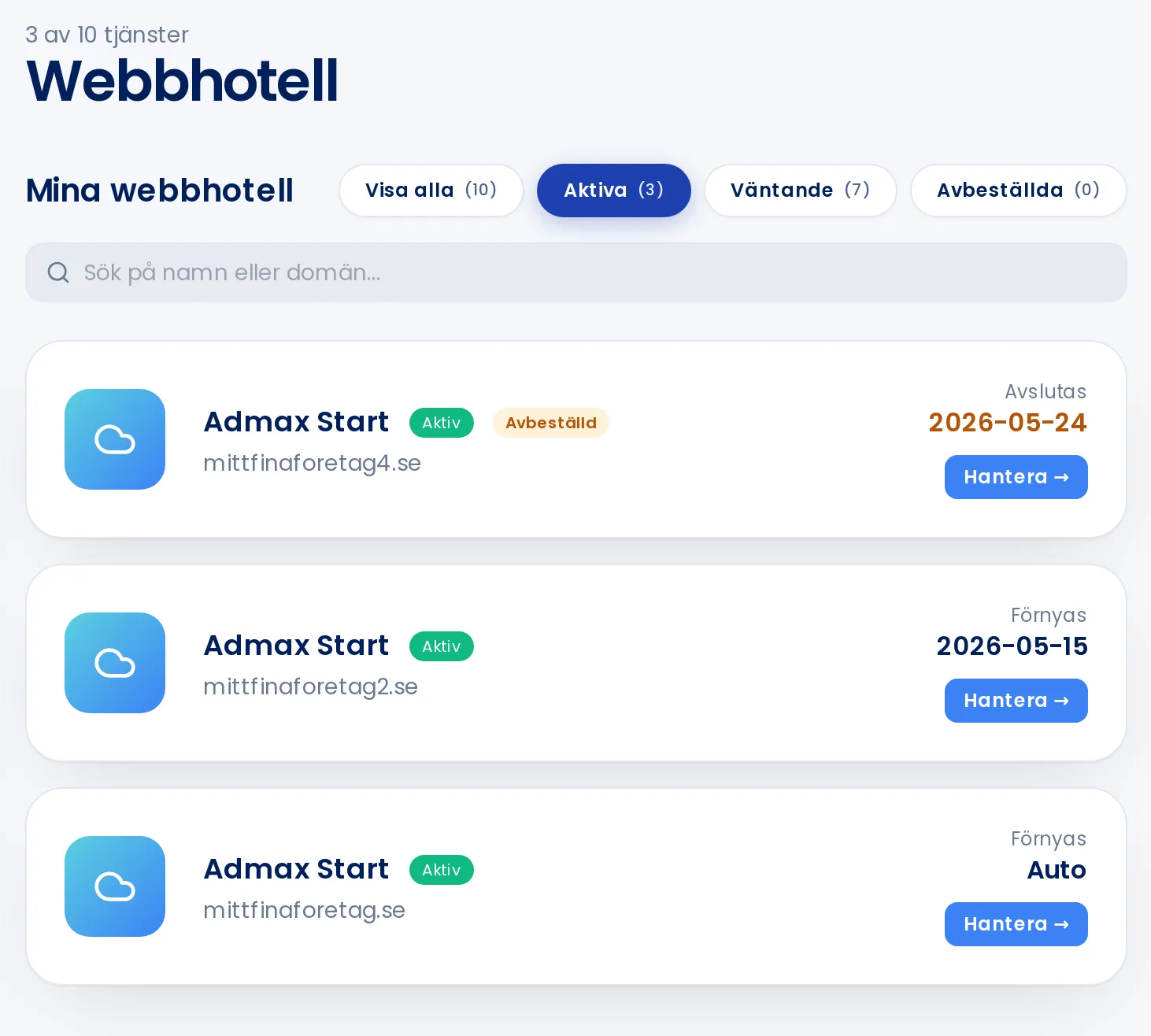
Click Manage next to the web hosting package you want to open.
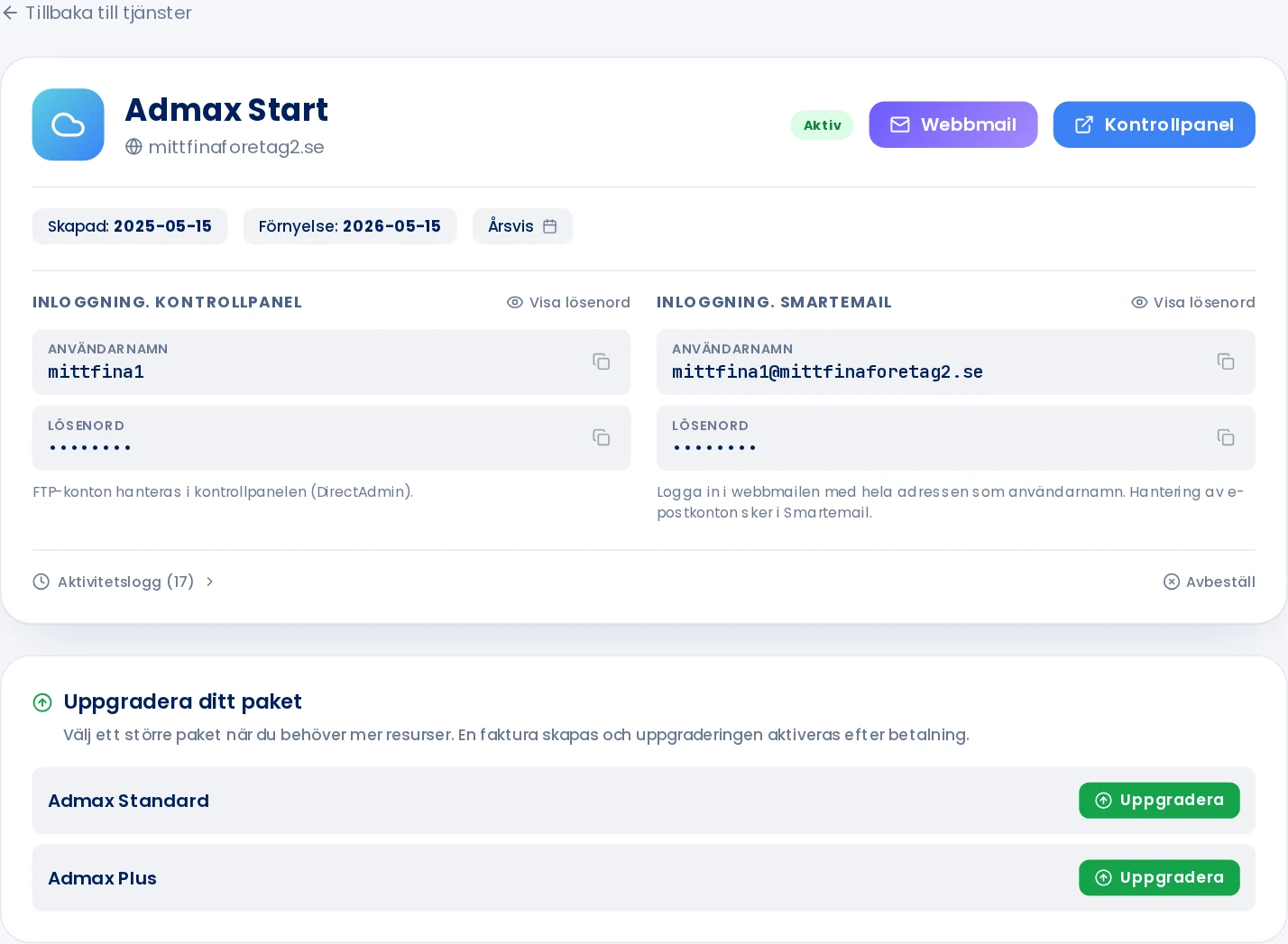
Click the blue Control panel button in the top right. The control panel opens in a new tab and you are already logged in.
If you have several web hosting packages, the domain is shown under each one.The Control panel button logs you in automatically.
Log in with username and password
Your username and password for the control panel are shown under Login. Control panel on the same page. Click Show password to view it, or click the icon next to it to copy.
FTP accounts are created and managed inside the control panel.
Nothing happening when you click Control panel? Check that your browser is not blocking pop-ups for the customer portal.