To transfer a domain from one registrar to another, you usually need an authentication code, also known as an "auth key" or "EPP code".
Getting hold of the code isn't always straightforward, so here's a quick guide for some common providers on how to obtain the code before transferring your domain to Admax:
Loopia: You can find the authorisation codes for all domains where Loopia is the registrar in your Loopia customer zone. Click on the domain name you want the code for and select "Transfer av domännamn" to generate a code. In some cases you may need to contact their support team to obtain the code.
One.com: You need to email their support team to request the authentication code.
Eurid (.eu domains): Go to http://www.eurid.eu/ and log in to your account to retrieve the authentication code.
DK-hostmaster (.dk): Log in to their portal at https://punktum.dk/ to update the "PROXY" and "BILLING" settings.
Please note that registrars may change their procedures and links, so the information above may not always be current.
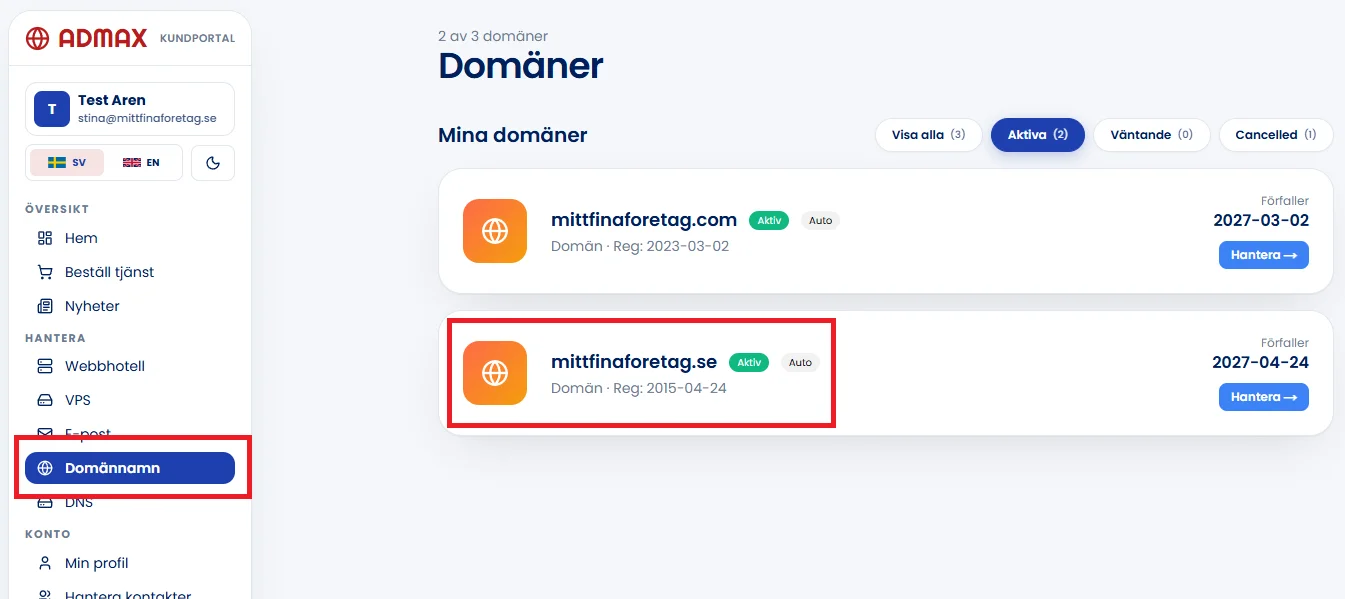
To retrieve your authentication code from us, log in to the customer portal and click on Domains in the left-hand menu. Then click on the domain name you want to retrieve the authentication code for.
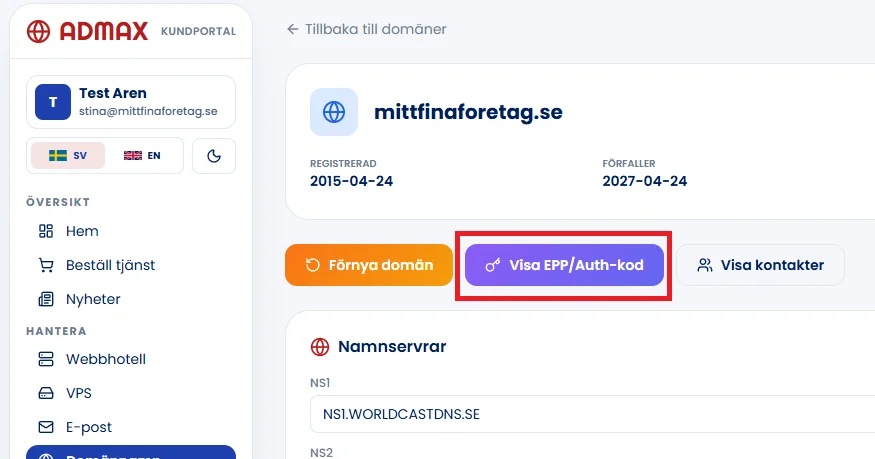
Click "Visa EPP/Auth-kod" to display the code you need to transfer the domain.
Please note that the process may vary depending on the top-level domain (TLD).
Free tool
- DNS lookupView all DNS records for a domain: A, AAAA, CNAME, MX, NS, TXT, SOA and CAA.
- DNS propagationCheck whether a changed DNS record has taken effect at Google, Cloudflare, Quad9 and AdGuard.
- Is the domain available?Check whether a domain name is available and see at the same time if it is free on .se, .nu, .com and .eu.
- Whois lookupSee who the registrar is for a domain, when it was registered, when it expires, and which name servers it uses.