Admax Hosting AB · web hosting in Sweden since 1996Updated 6 October 2026
You can pay your invoices directly in the customer portal by card or PayPal, or by Bankgiro.
Click Invoice in the menu.
Click Pay next to the invoice.
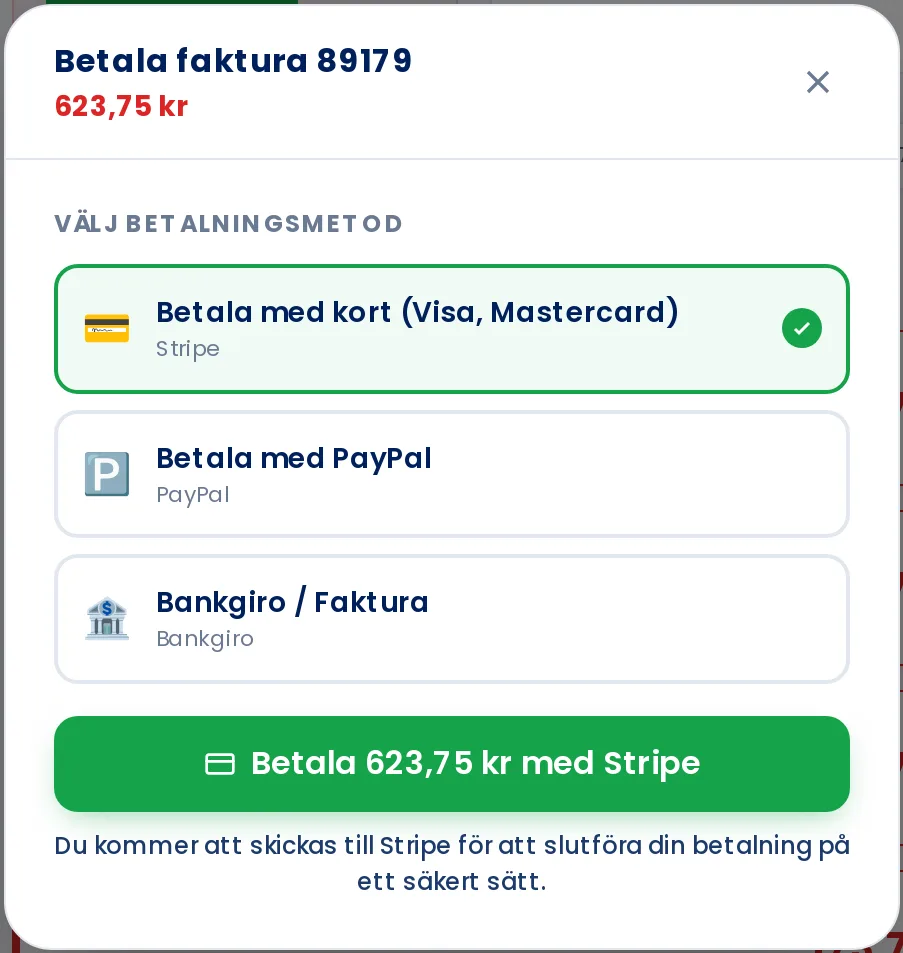
Choose a payment method: Pay by card, Pay with PayPal or Bankgiro / Invoice.
With card or PayPal, click the payment button and you'll be taken to complete the payment. Once done, you'll be returned to the customer portal and the invoice will be marked as paid.
Pay by Bankgiro
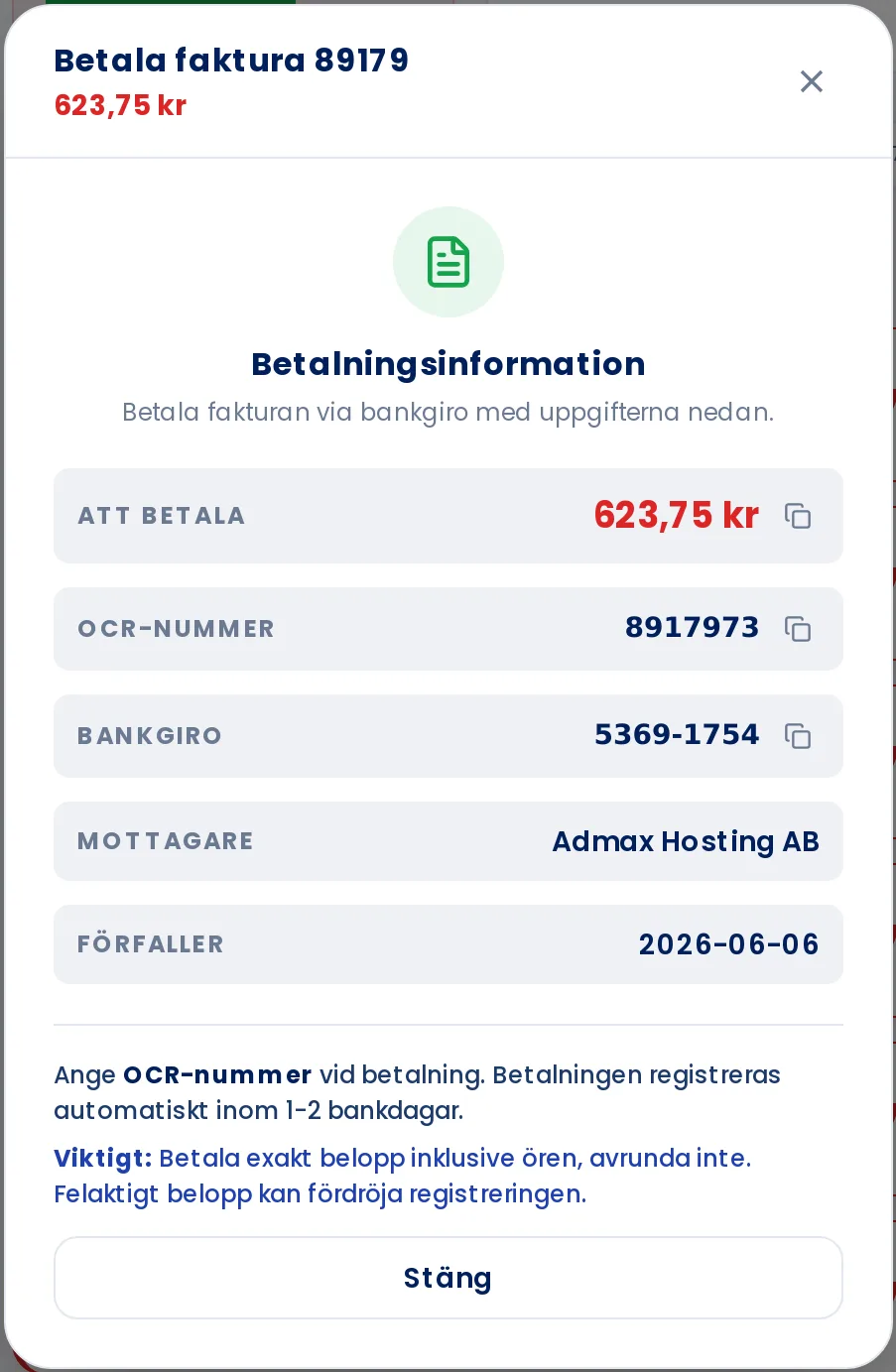
If you choose Bankgiro / Invoice and click Show payment instructions, you'll see the amount, OCR reference number, and Bankgiro number. Pay the exact amount and include the OCR reference, so the payment is matched to the correct invoice.
If you pay by card, your card details are saved for next time. You can view saved cards under My profile, on the Payment methods tab.