Admax Hosting AB · web hosting in Sweden since 1996Updated 6 October 2026
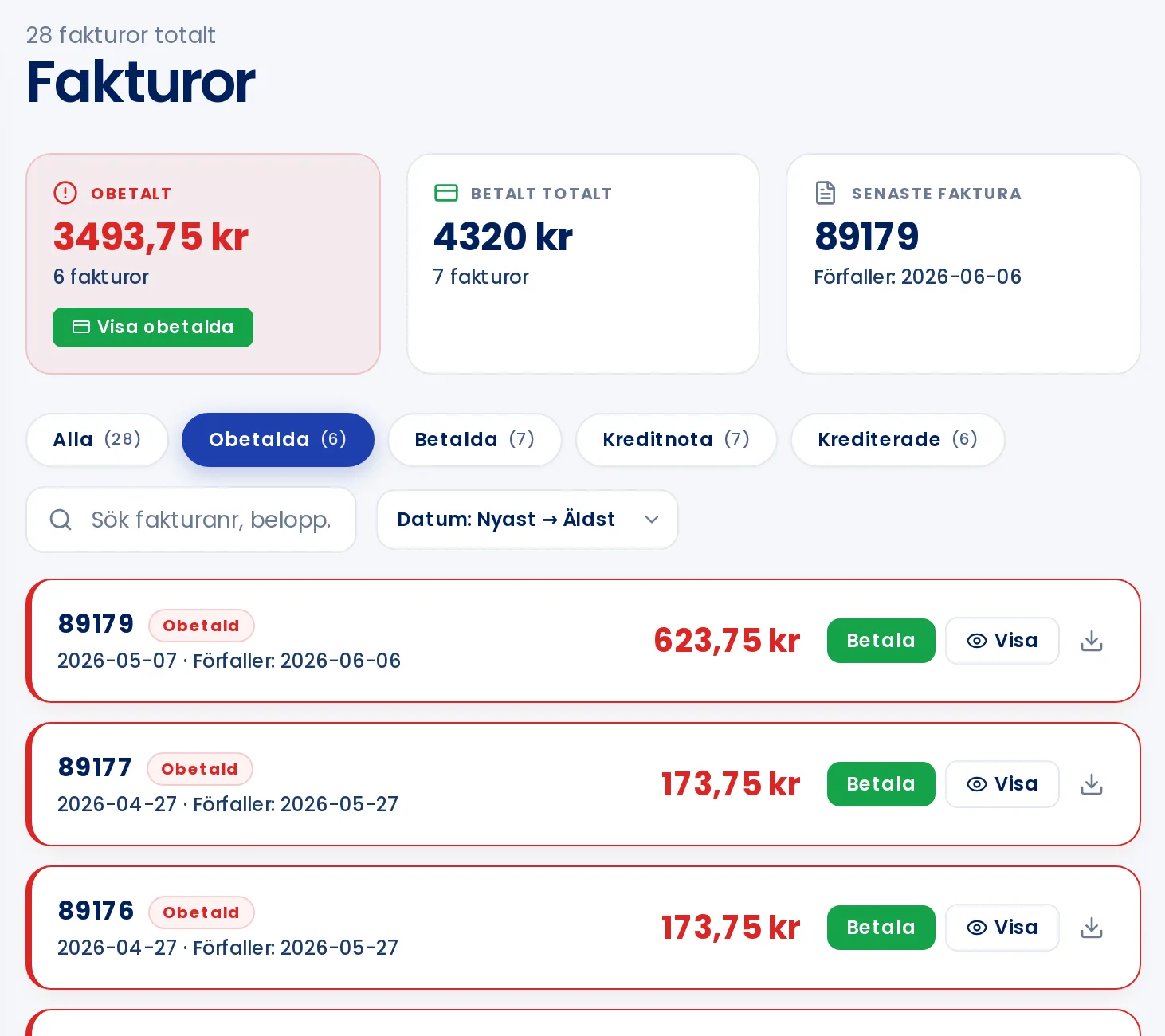
All your invoices are available under Invoices in the menu. The page shows unpaid invoices first.
At the top you can see what is outstanding, your total amount paid, and your most recent invoice.
Filter
Click All, Unpaid, Paid, Credit note or Credited to view those invoices. Use the search field to search by invoice number or amount.
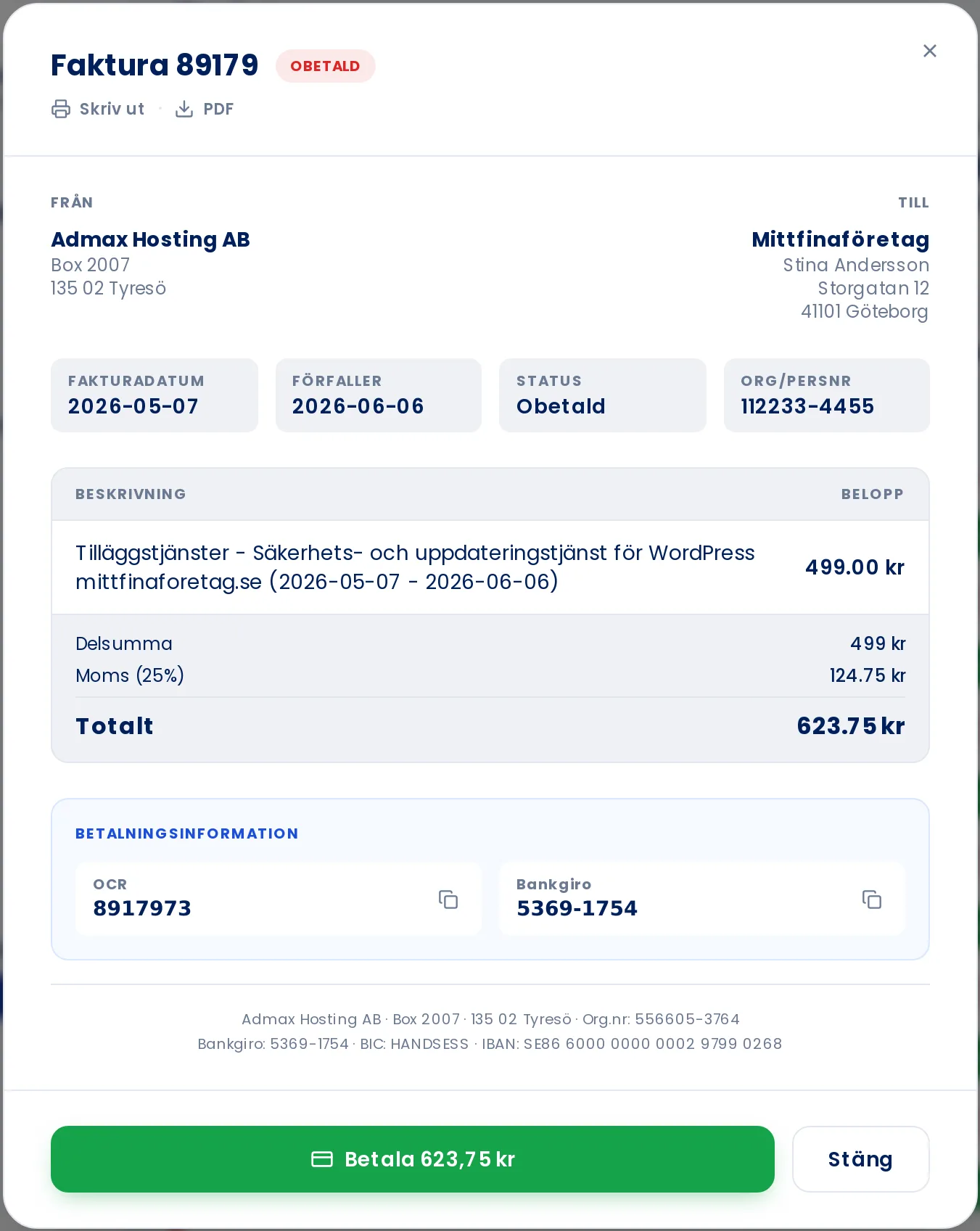
Open and download an invoice
Click View on the invoice row. There you can see the line items, VAT, due date, and payment details including the OCR number and Bankgiro. Click PDF to download the invoice or Print to print it.