If you want to receive all emails sent to a domain name, you can set up what is known as a "catch-all" account.
This can be useful for catching emails where the recipient address has been mistyped. The downside is that a catch-all address will likely receive more spam.
Follow the steps below to set up a catch-all.
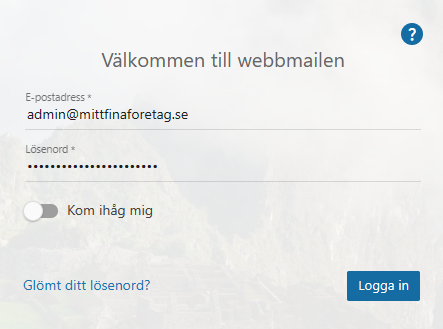
Log in to the webmail as an administrator
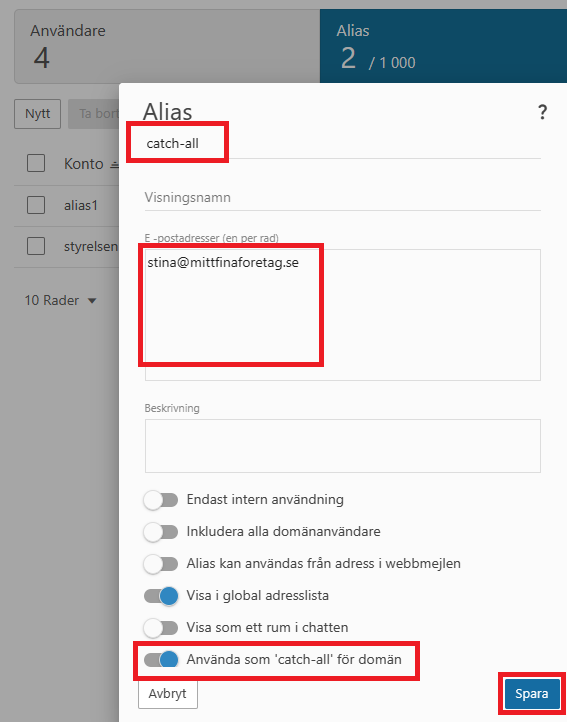
2. In the top menu, click "More" and then "Domain settings". Then select "Accounts" and the "Aliases" tab, where you click "New". Enter the following and click "Save":
Name of the alias (we use catch-all in our example)
Email addresses (who should receive the emails – we choose stina@mittfinaforetag)
Enable catch-all (tick "Use as domain catch-all" at the bottom)
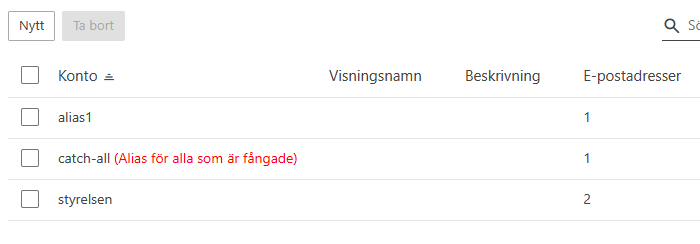
3. After clicking "Save", the new alias is created with the catch-all function. Note the red indicator after the alias name!
If the catch-all option is not available, please contact us by raising a support ticket and we will enable the feature for you.