Admax Hosting AB · web hosting in Sweden since 1996Updated 6 October 2026
If you're moving DNS from another provider, you can import the entire zone instead of entering records one by one. You'll need a zone file in BIND format. Most providers have a function for exporting the zone.
Open the domain under DNS in the menu.
Click Import zone.
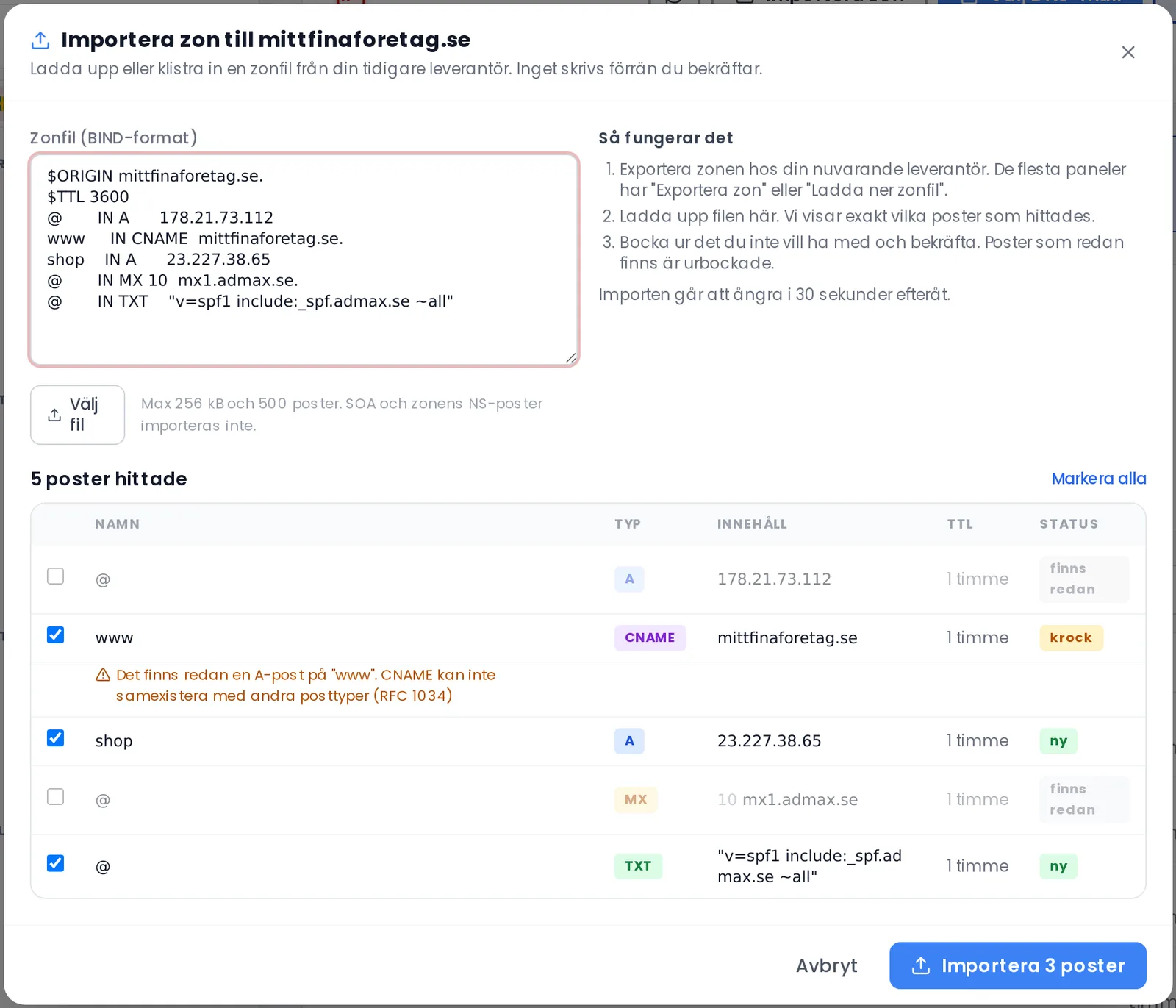
Paste the zone file into the box, or click Choose file.
Review the list. Each record is labelled new, already exists, or conflict. Records that already exist are unticked. Untick anything you don't want to include.
Click Import.
Nothing is written until you confirm. Conflicts are shown with an explanation.
The file may be no larger than 256 kB and 500 records. SOA and the zone's NS records are not imported — we manage those. The import can be undone within 30 seconds.