Back to the knowledge base
Admax Hosting AB · web hosting in Sweden since 1996Updated 15 October 2026
Follow the steps below to add a signature.
Log in to webmail
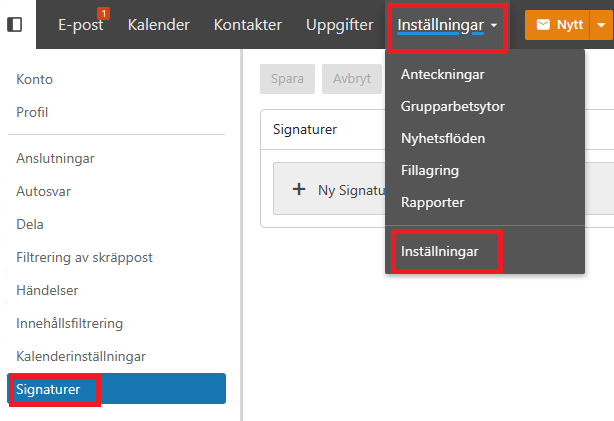
Click Settings > Settings in the top menu, then select "Signatures" in the left-hand menu
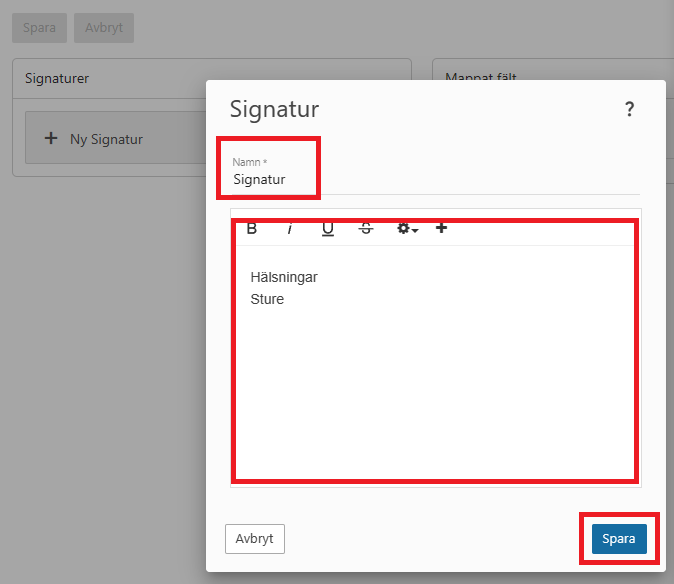
Click "New signature" and enter the text you want to include. Click "Save"
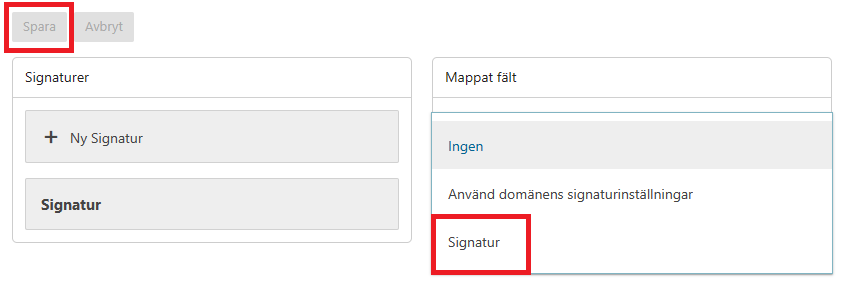
On the right, click the dropdown that shows "Mapped field" and select the new signature — in our example it is called "Signature". Finish by clicking "Save"
To create a more advanced signature (such as a table or custom code), click the plus icon to reveal more options, as shown in the image below. <> is for code, which lets you use tags such as img for images. Example of code for an image:
<p><img src="http://www.doman.se/mypicture.jpg" alt="signature"></p>