Back to the knowledge base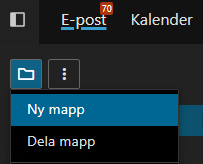
Admax Hosting AB · web hosting in Sweden since 1996Updated 15 October 2026
To create a new folder in webmail, click the icon on the left highlighted in the image and select "New folder".
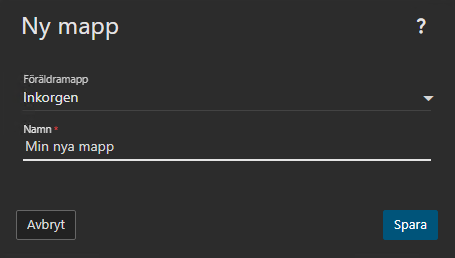
After clicking "New folder", enter the name you want in the field below. If you want the folder to be placed inside a specific folder (for example, under your Inbox), follow our example and select "Parent folder".
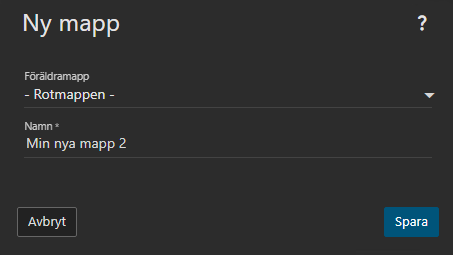
If you want the folder to stand on its own rather than inside another folder, select "Root folder", enter the name of your new folder, and click "Save".
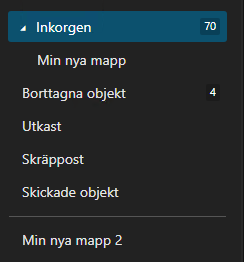
The image below shows what it looks like after creating two folders — one nested inside another folder (Inbox) and one as a standalone folder.