Back to the knowledge base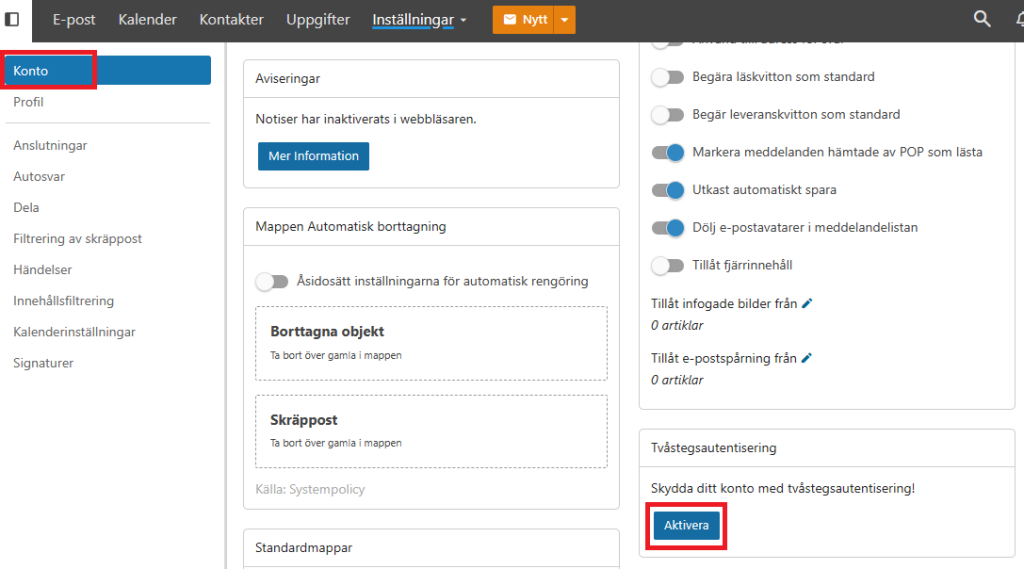
Admax Hosting AB · web hosting in Sweden since 1996Updated 15 October 2026
We offer two-factor authentication on our email service. To enable it, you need to log in to the webmail for the relevant account and activate two-factor authentication. Please note that this only applies to webmail.
In the top menu, click "More" and then "Settings". Under "Account", scroll down and click "Enable" on the "Two-step authentication" card.
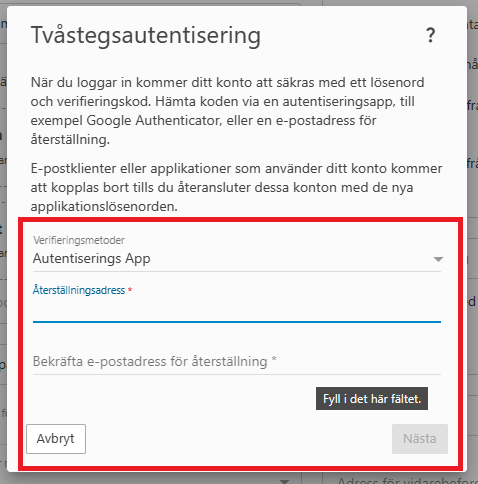
You then choose your verification method and follow the instructions to activate the authentication requirement.