Admax Hosting AB · web hosting in Sweden since 1996Updated 6 October 2026
Keep your contact details up to date so that invoices, reminders and important service information reach you. Your details also appear on your invoices.
Click My profile in the menu. The Profile tab opens.
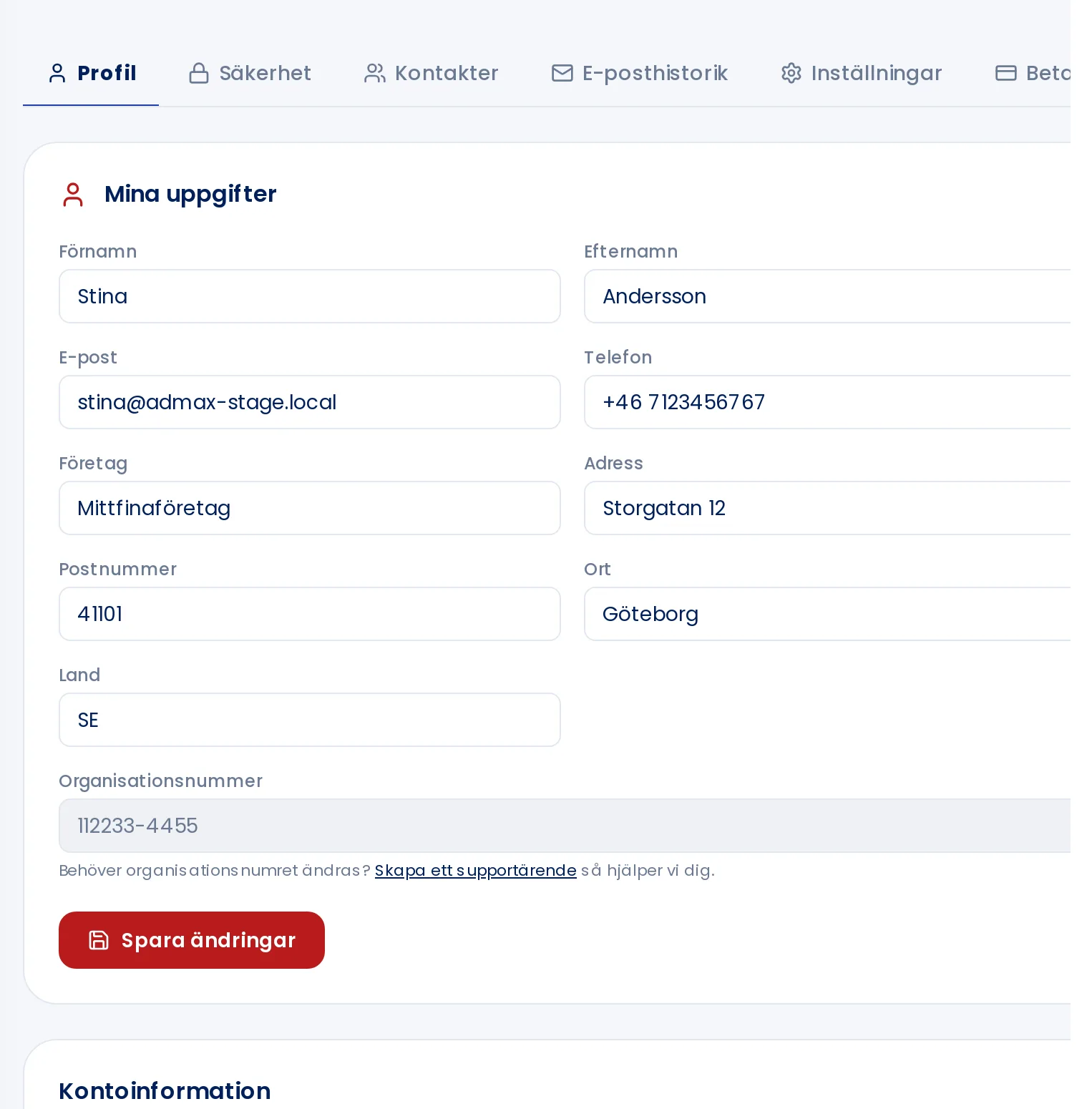
Update what you need under My details: name, email, phone, company and address.
Click Save changes. The button shows Saved! when done.
Under Profile you can update your name, email, phone and address.
Changing your email address
Your email address is also what you use to log in. When you change it and save, you will be asked to confirm with your current password. After that, use the new address to log in.
Company registration number and Swedish personal identity number
Your company registration number and Swedish personal identity number cannot be changed by yourself. Create a support ticket and we will help you.
Under Account information you can see your customer number, account status, when you became a customer and when you last logged in.