Admax Hosting AB · web hosting in Sweden since 1996Updated 6 October 2026
Web hosting, email, domains and virtual servers are all ordered through the customer portal. The process takes three steps: domain name, services and payment.
1. Choose what you want to order
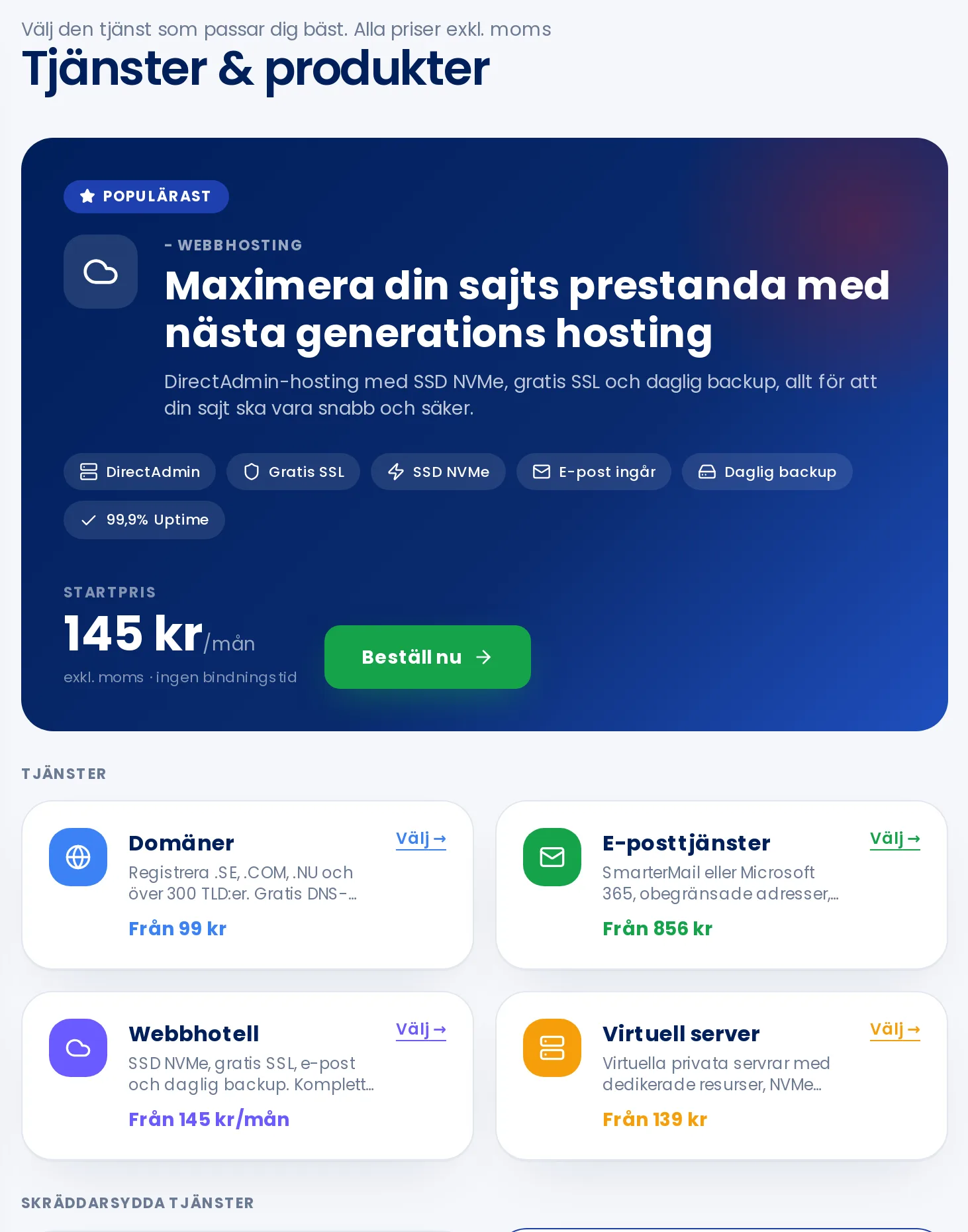
Click Order service in the menu, then click Select on the item you want. All prices are shown excluding VAT.
Managed WordPress, web design, dedicated servers and add-on services are ordered via Contact us.
2. Domain name
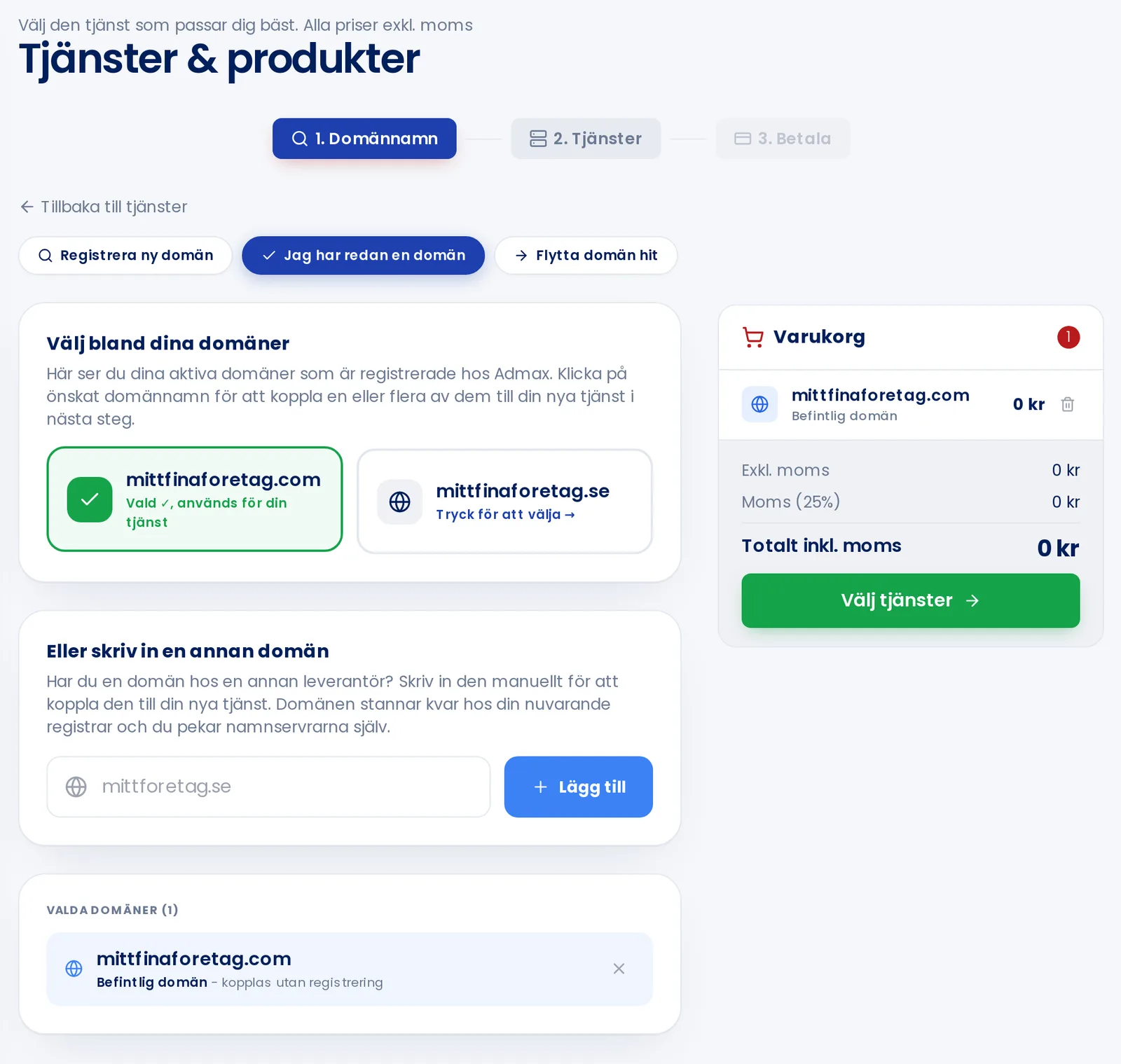
Web hosting and email are linked to a domain. Choose one of the tabs:
Register a new domain: search for an available domain and click Add.
I already have a domain: click one of your domains, or enter a domain you have with another provider.
Transfer domain here: enter the domain and its EPP code from your current provider.
An existing domain is selected here. The basket on the right shows what you've chosen.
Click Choose services when you're done.
3. Services
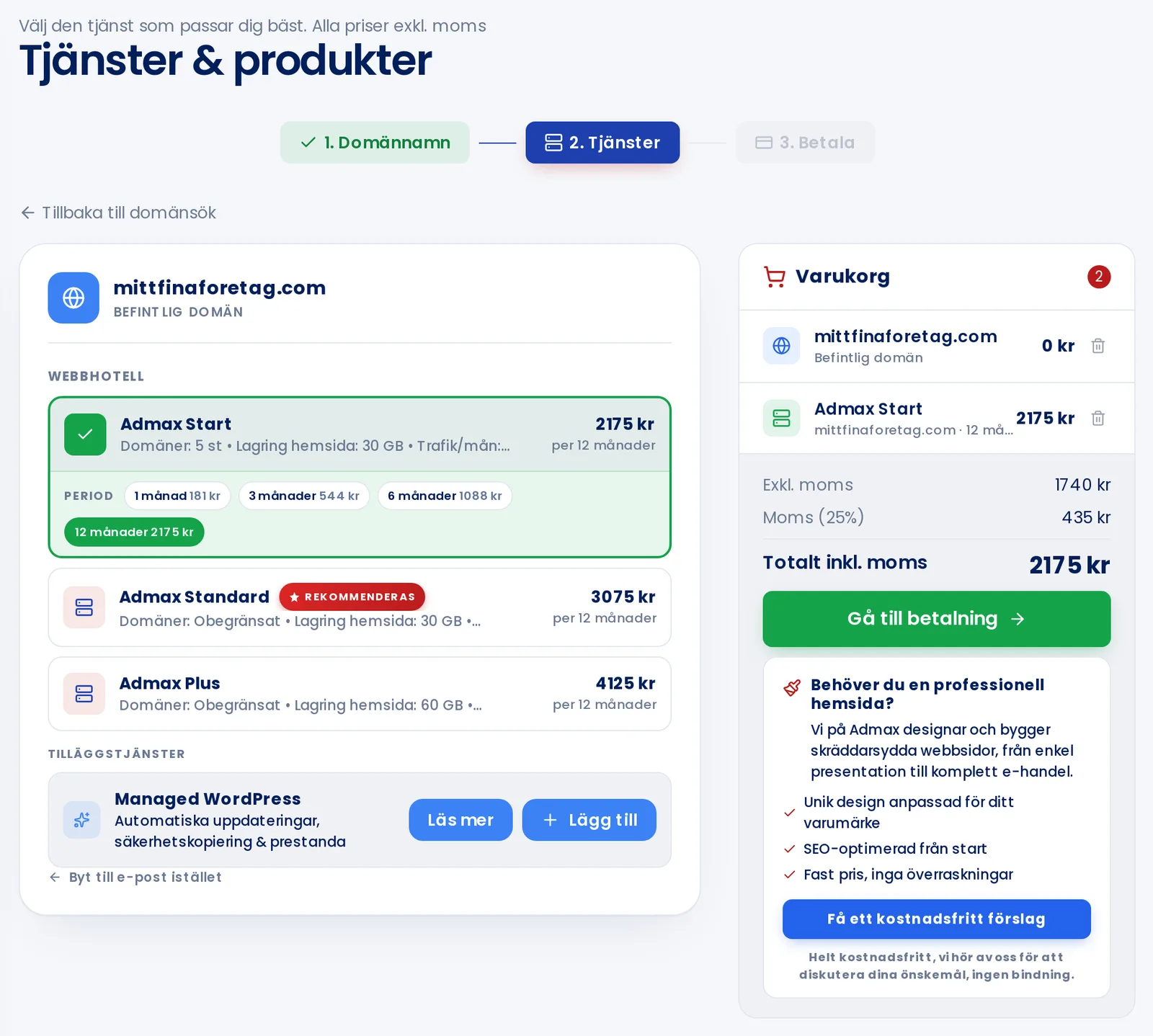
Select a package for each domain and the Period you'd like to pay for. A longer period means a lower monthly price. Then click Proceed to payment.
4. Payment
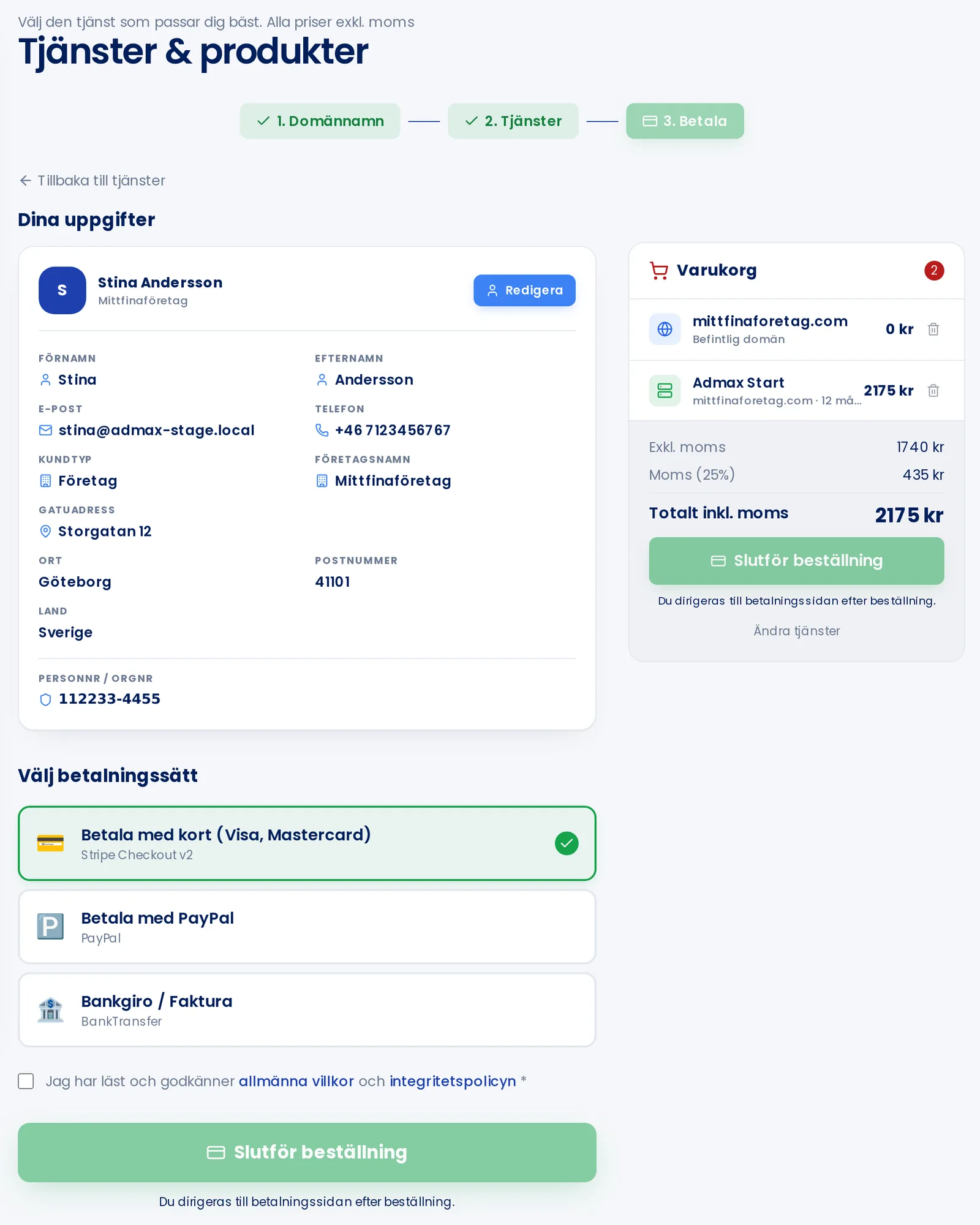
Check Your details. Click Edit if anything needs updating.
Choose your payment method: card, PayPal, or Bankgiro with invoice.
Tick the box to accept the terms and conditions.
Click Complete order. If you pay by card or PayPal, you'll be redirected to complete the payment.
Once your order is placed, you'll receive an order number and an invoice. The service is activated once the invoice is paid. You can view your order under Orders.
If you already have web hosting on the domain, the portal will warn you before you order another one, so you don't accidentally end up with two.