Admax Hosting AB · web hosting in Sweden since 1996Updated 6 October 2026
A support ticket is the best way to get help with something that needs looking into. You'll receive replies by email and can follow the full conversation under Support tickets.
Click Support tickets in the menu.
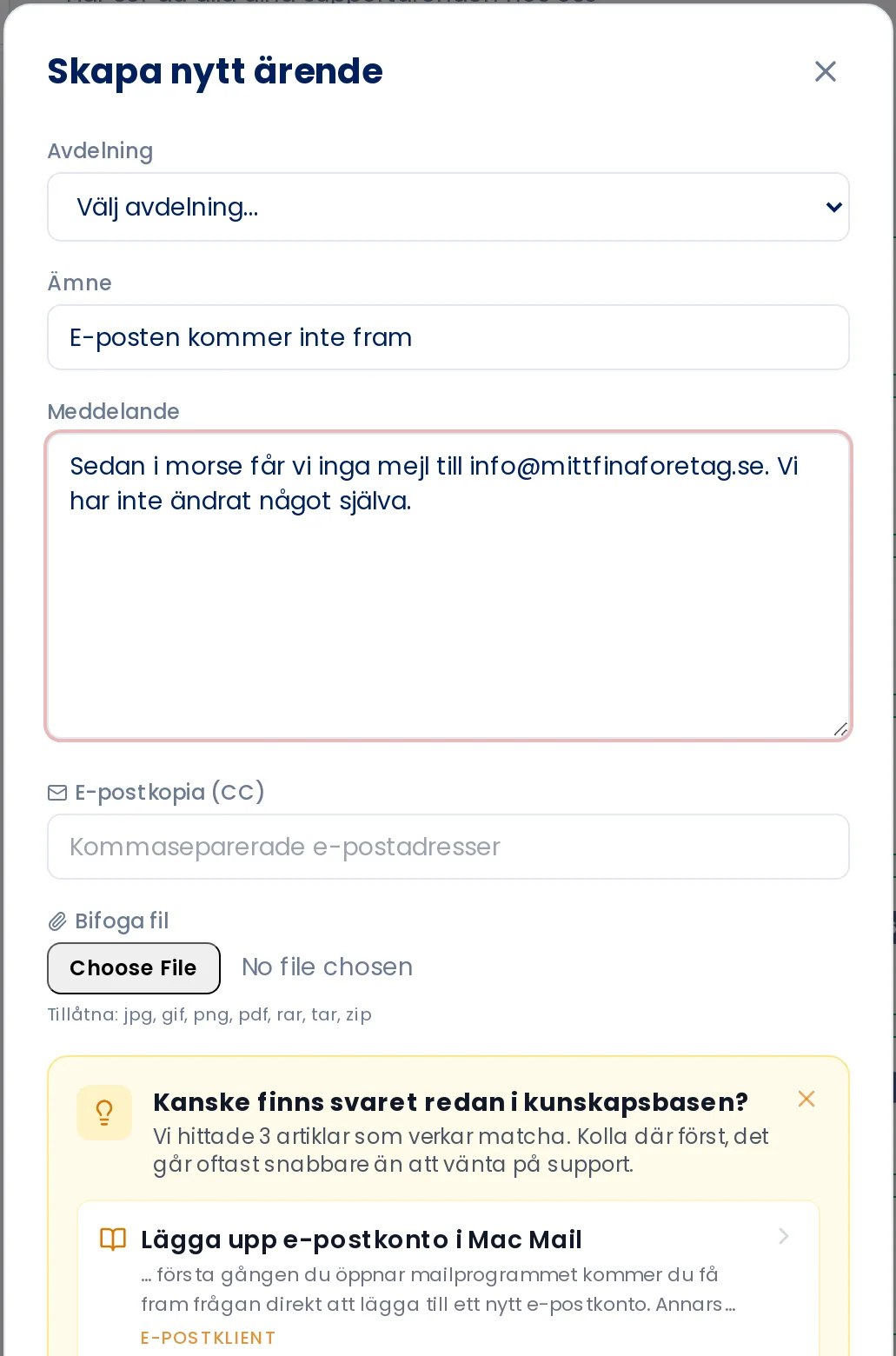
Click Create new ticket.
Select a Department, for example support or billing.
Enter a brief Subject and describe your issue in the Message field. The more detail you provide, the faster we can help.
To attach a screenshot or file, click Attach file. Images, PDFs and ZIP files up to 10 MB are accepted.
Click Send.
As you type, the portal suggests knowledge base guides that may already have the answer.
Replying to a ticket
Open the ticket from the list, type in the Write your reply box and click Send reply. You can attach files here too. Tickets awaiting your reply are shown on the home page.
If it's urgent, or just a quick question, it's often faster to chat with us.