Admax Hosting AB · web hosting in Sweden since 1996Updated 6 October 2026
We normally send a renewal invoice automatically before your domain expires. If you want to renew early, or if you've turned off automatic renewal invoices, you can renew it yourself.
Click Domain names in the menu, then click Manage next to the domain.
Click Renew domain.
Check the period and price, then click Create renewal invoice.
Click Pay now to pay straight away, or pay the invoice later under Invoice.
The domain is renewed once the invoice is paid. If an unpaid renewal invoice already exists, the portal will show that instead of creating a new one.
Domains renewed via our support team
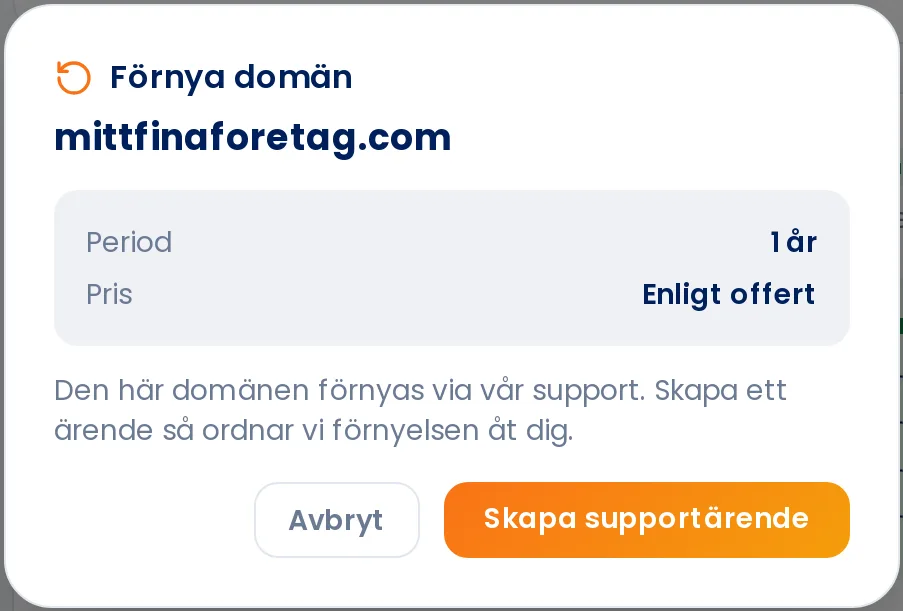
Some domains don't have a fixed price in the portal. In that case you'll see Quote on request and the button will say Create support ticket. Submit the ticket and we'll take care of the renewal for you.
This domain is renewed via our support team. Otherwise the price and the Create renewal invoice button are shown.
If the domain expires within 60 days, a warning will appear on the domain's page. Renew in good time. A domain that has lapsed can be expensive to recover — see Cost of recovering an expired domain name.