Admax Hosting AB · web hosting in Sweden since 1996Updated 6 October 2026
Name servers determine where your domain's DNS is managed. If your domain points to our name servers, you can manage your DNS records under DNS in the customer portal.
Point your domain to us
Open your domain under Domain names. If it isn't already pointing here, you'll see a button labelled Point here – set our name servers in the name servers section. Click it to update the name servers at the registry straight away.
Set custom name servers
Click Domain names in the menu, then click Manage next to your domain.
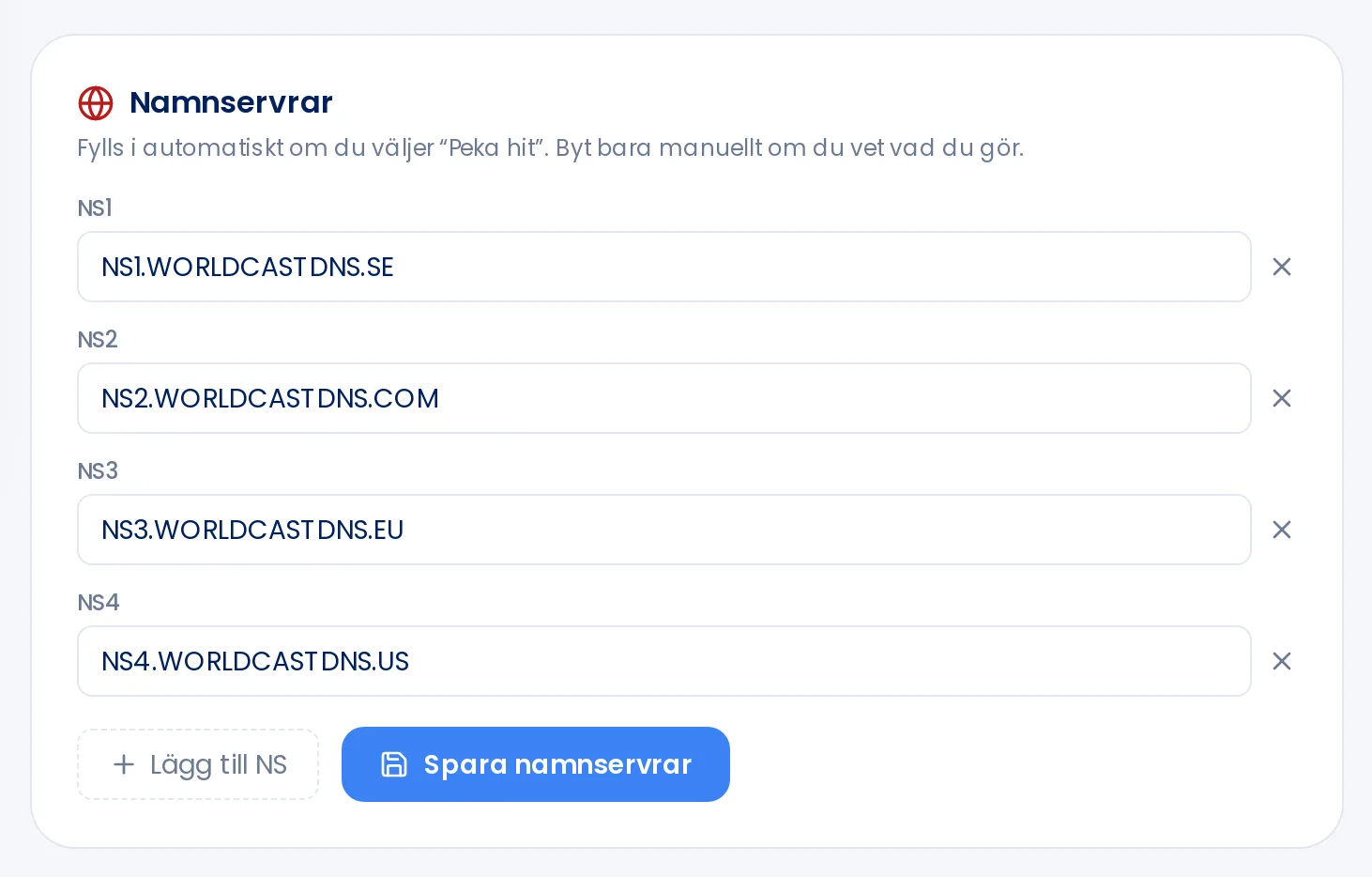
Scroll down to the Name servers section.
Enter the new name servers in the NS1, NS2 fields and so on. Click Add NS if you need more fields — up to six. Click the cross to remove a field.
Click Save name servers.
Only change name servers manually if you know what you're doing. Pointing your domain to the wrong servers will take your website and email offline. You need at least two name servers, and it can take up to 24 hours for the change to propagate across the internet.
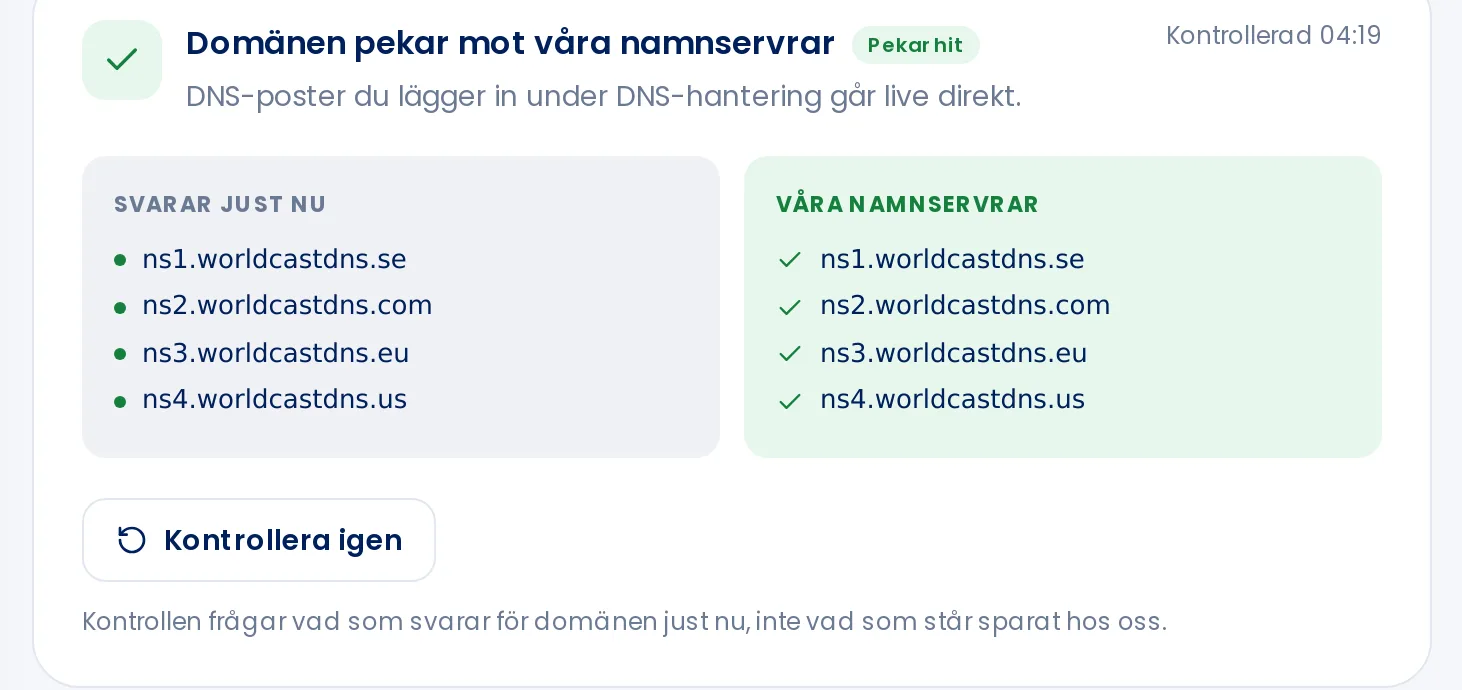
Left: what is responding right now. Right: our name servers.
The checker shows what is currently responding for your domain, compared to our name servers. Click Check again after making a change. For some top-level domains it isn't possible to update name servers yourself. Open a support ticket and we'll help you.