Admax Hosting AB · web hosting in Sweden since 1996Updated 6 October 2026
If you need more space or additional features, you can upgrade to a larger plan directly in the customer portal.
Open the service under Web hosting, VPS, or Email in the menu.
Under Upgrade your plan you can see which plans are available. Click Upgrade next to the one you want.
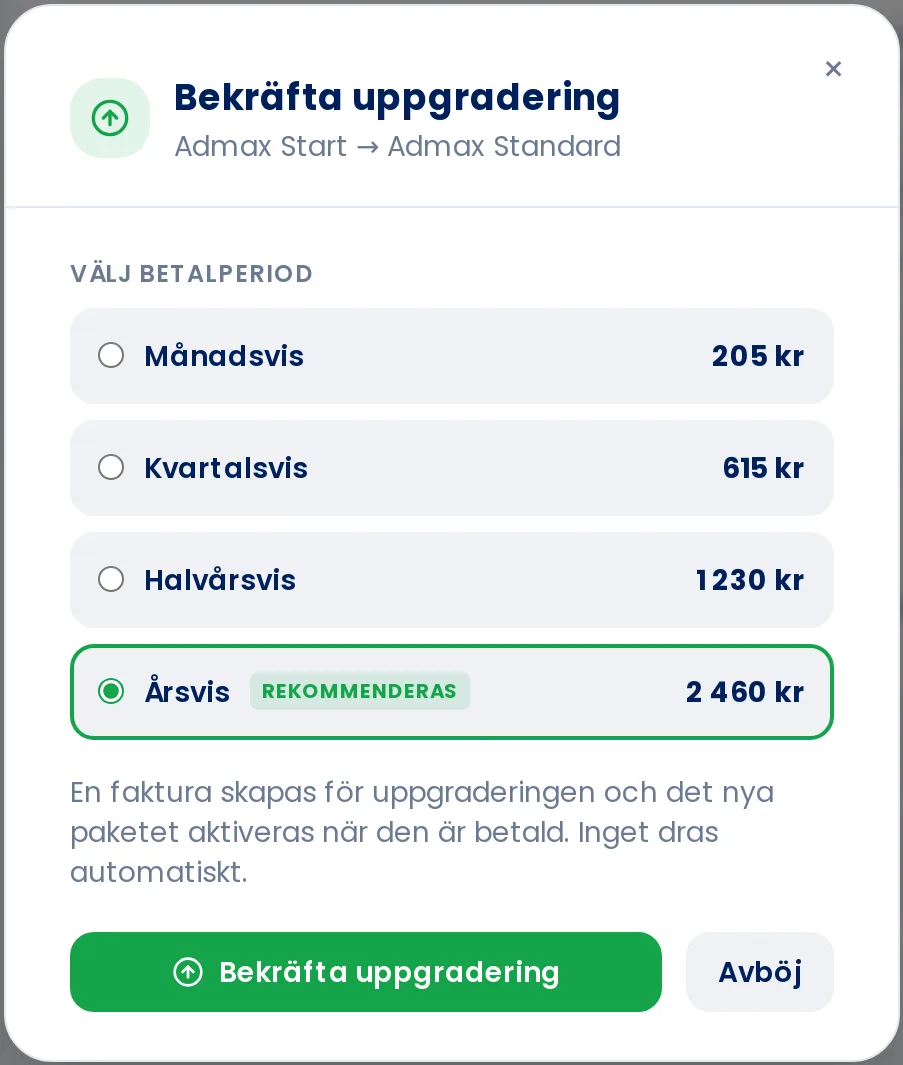
Choose a billing period and check the price.
Click Confirm upgrade.
An invoice will be created for the upgrade, and the new plan is activated once it has been paid. Nothing is charged automatically. You can find the invoice under Invoice.