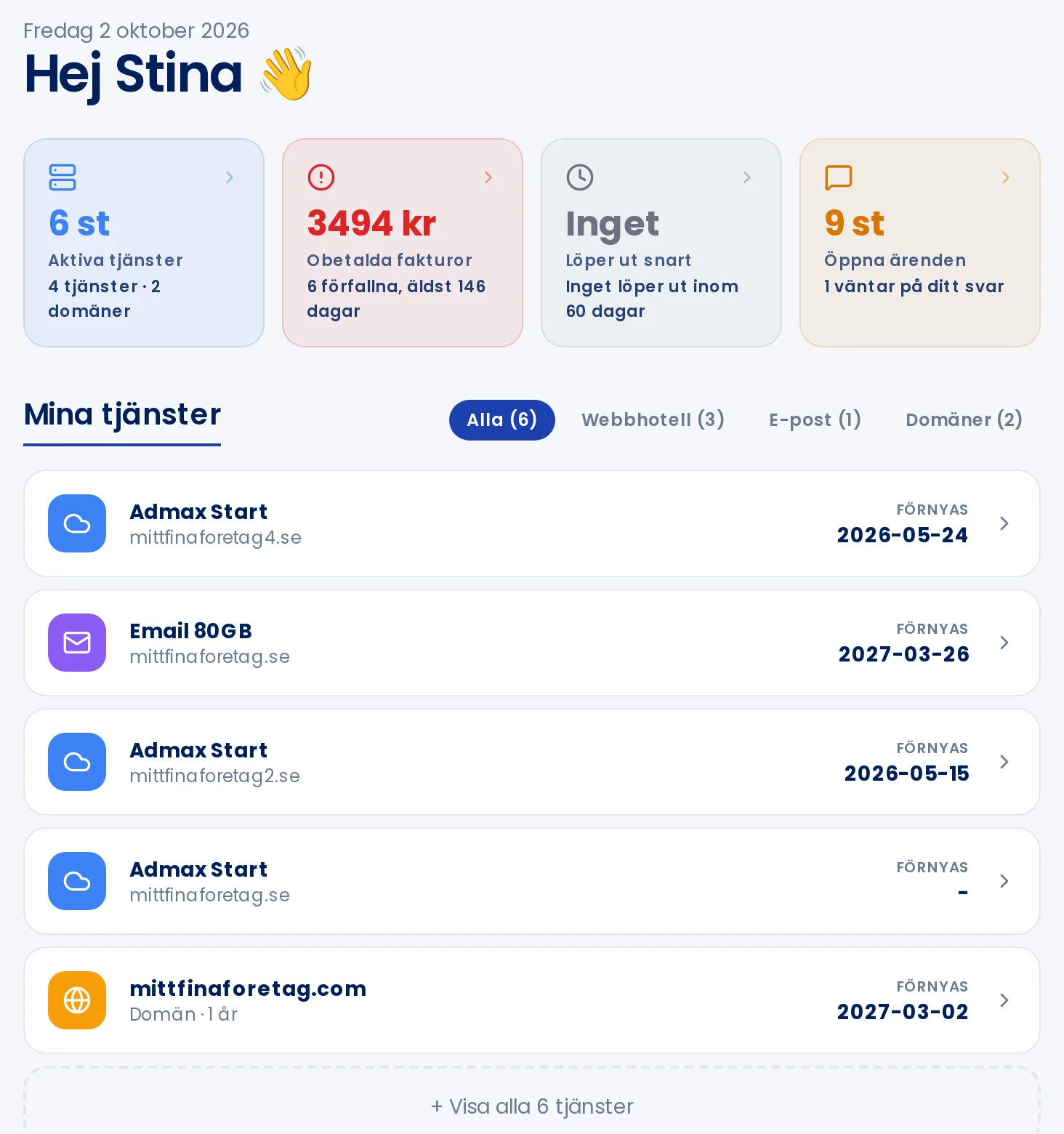
In the customer portal, you manage everything related to your account with us: services, domains, DNS, invoices, and support. Here's an overview of how the portal is laid out, so you can find what you need quickly.
Home page
When you log in, you land on Home. At the top, four tiles show the current status of your account:
- Active services: how many services and domains you have.
- Unpaid invoices: what remains to be paid and when it's due.
- Expiring soon: domains and services expiring within 60 days.
- Open tickets: your support tickets and whether any are waiting for your reply.
Click a tile to go directly to the relevant page. Below the tiles you'll find My services, where you can filter by web hosting, email, and domains. At the bottom there are shortcuts to live chat, orders, invoices, support tickets, and the knowledge base.
Menu
The menu on the left is divided into four sections:
- Overview: Home, Support tickets, Live support, Order service, and News.
- Manage: Web hosting, VPS, Email, Domain names, and DNS.
- Account: My profile, Manage contacts, Invoices, and Orders.
- Help: Knowledge base.
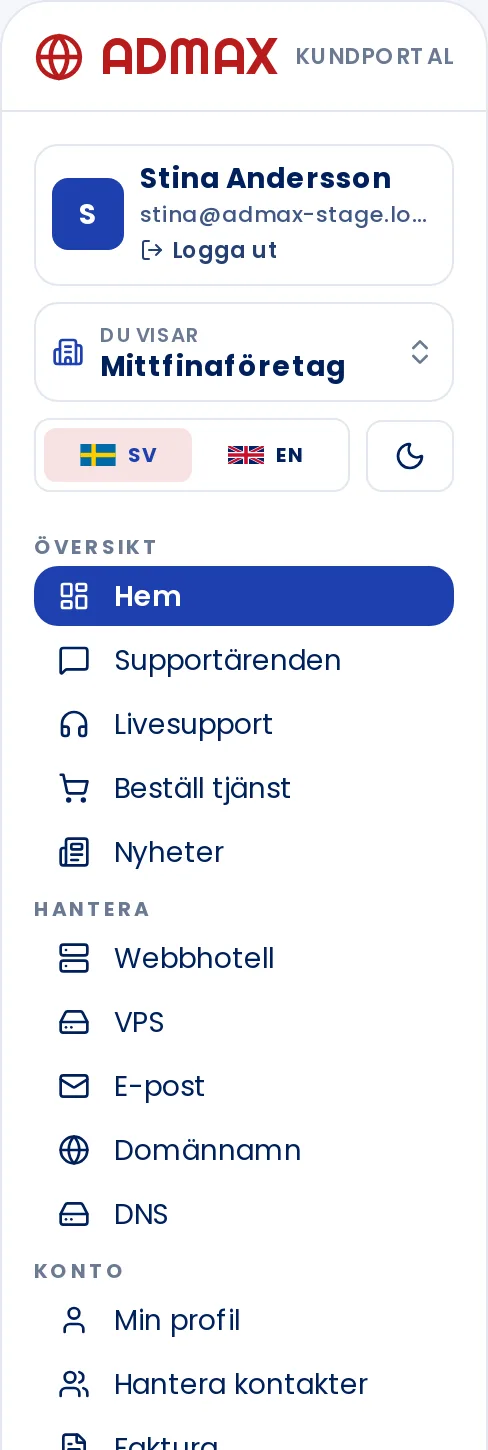
At the very top of the menu you'll see your name and the Log out button. If your login has access to multiple accounts, select the account in the You are viewing box — see Give someone else access to your account for more details. Below that you'll find the language selector and the button to switch between light and dark mode.
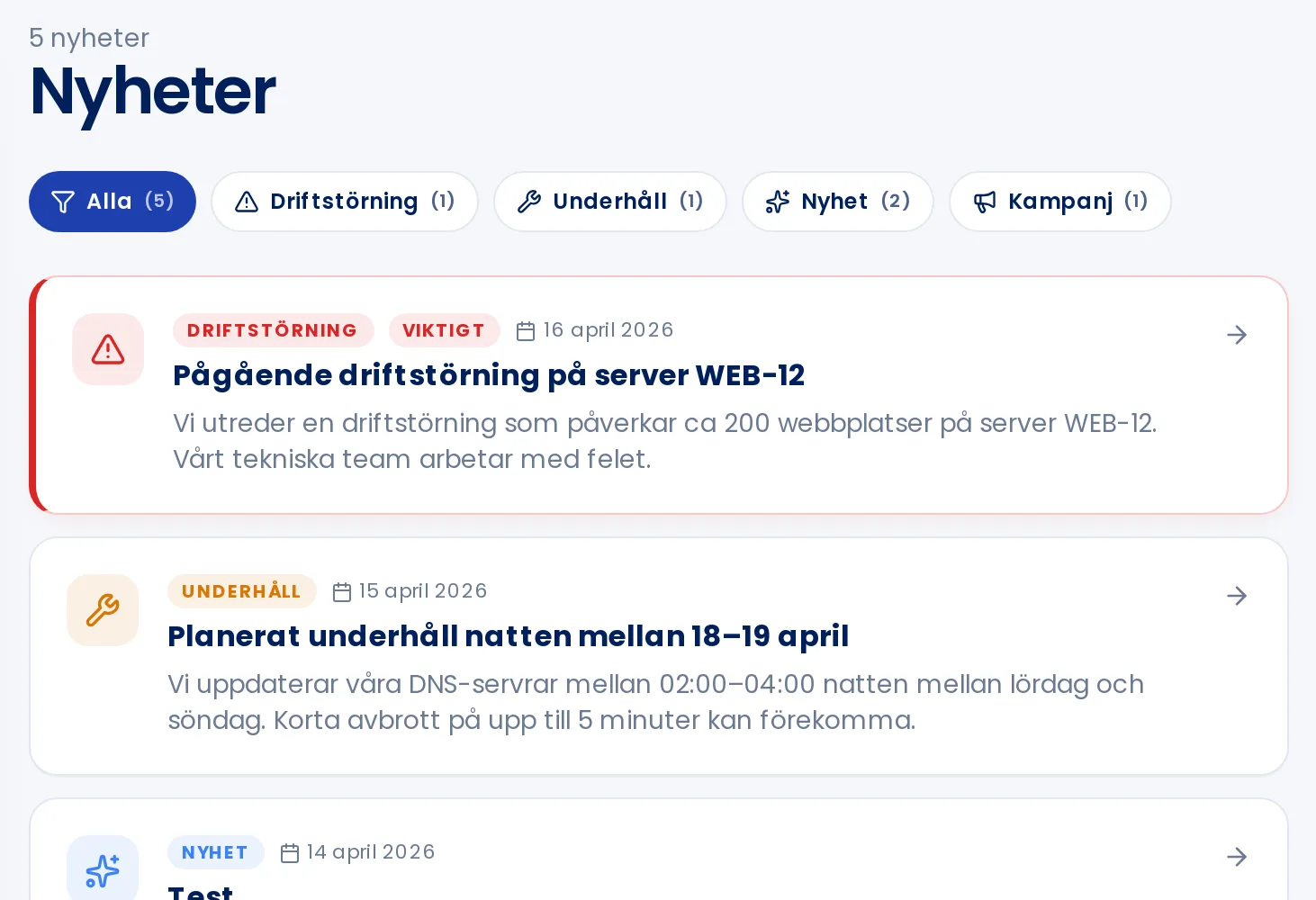
News and service updates
Under News we publish service disruptions, planned maintenance, news, and offers. Filter by type using the buttons at the top, and click an item to read the full text.